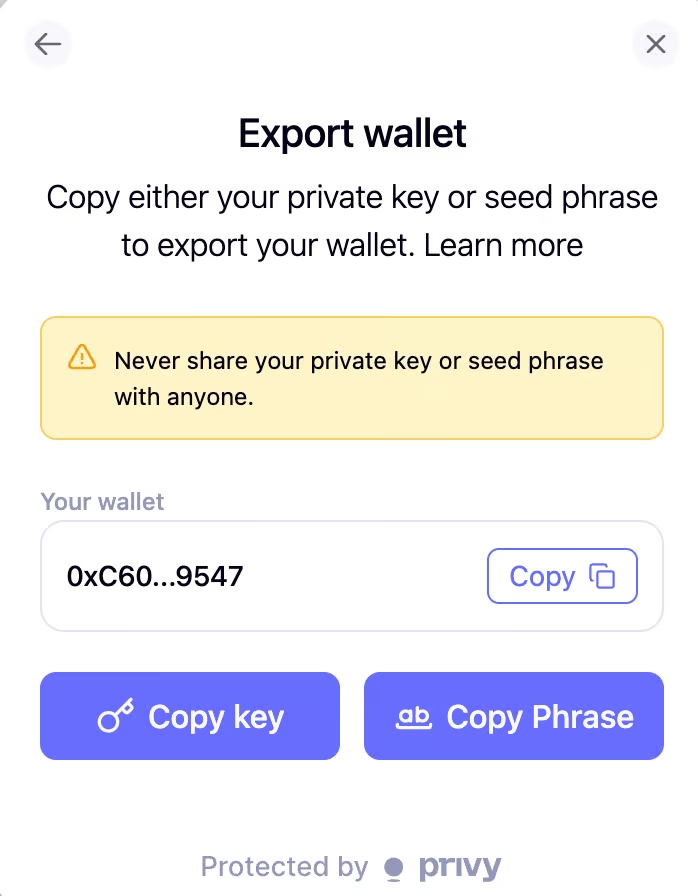
Export your email wallet
If you accidentally send an unsupported asset to your email wallet, or you want to export its private key so you can import it into another self-custody wallet and keep using it, follow the steps in this guide.
This method only applies if you registered and logged in to TxFlow with an email account. If you use a self-custodial wallet such as MetaMask or Rabby, manage your private key in that wallet instead.
Step-by-step guide
-
Log in to home.privy.io. Use the same email address you log in to TxFlow with.
-
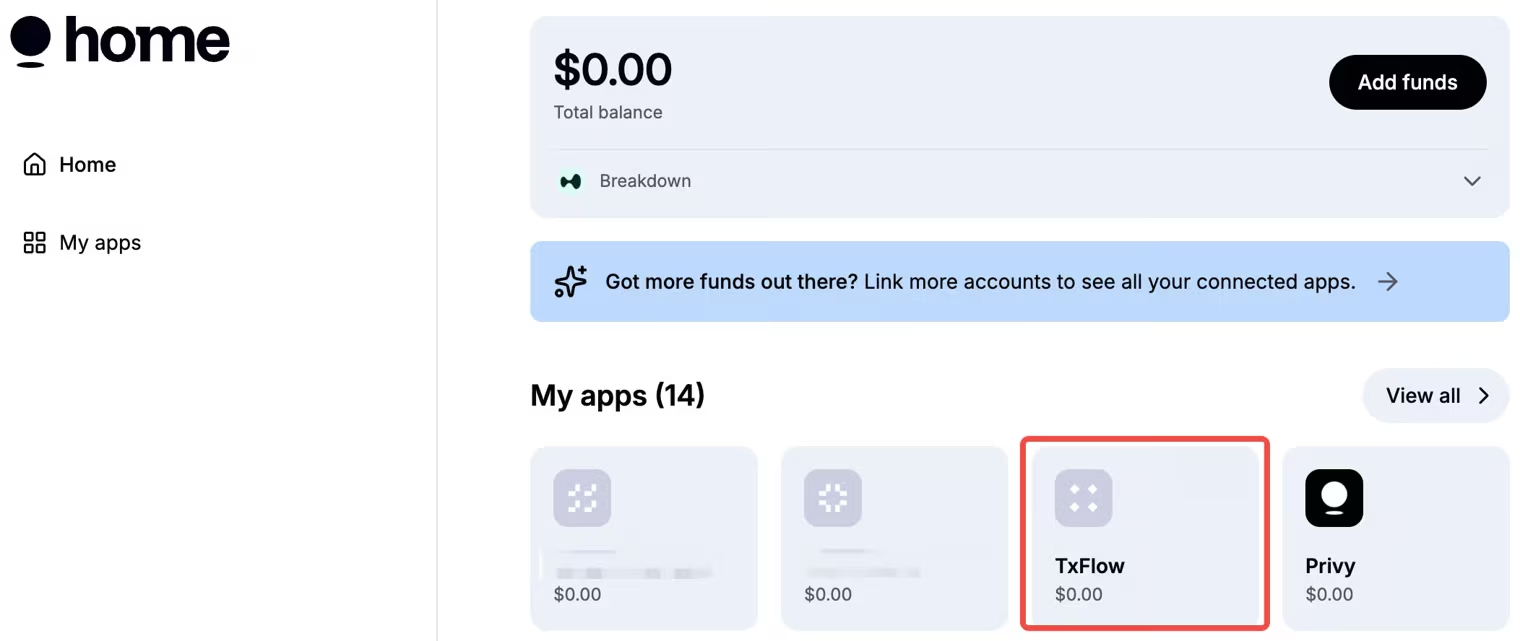
On the Home page, under My apps, select TxFlow.
-
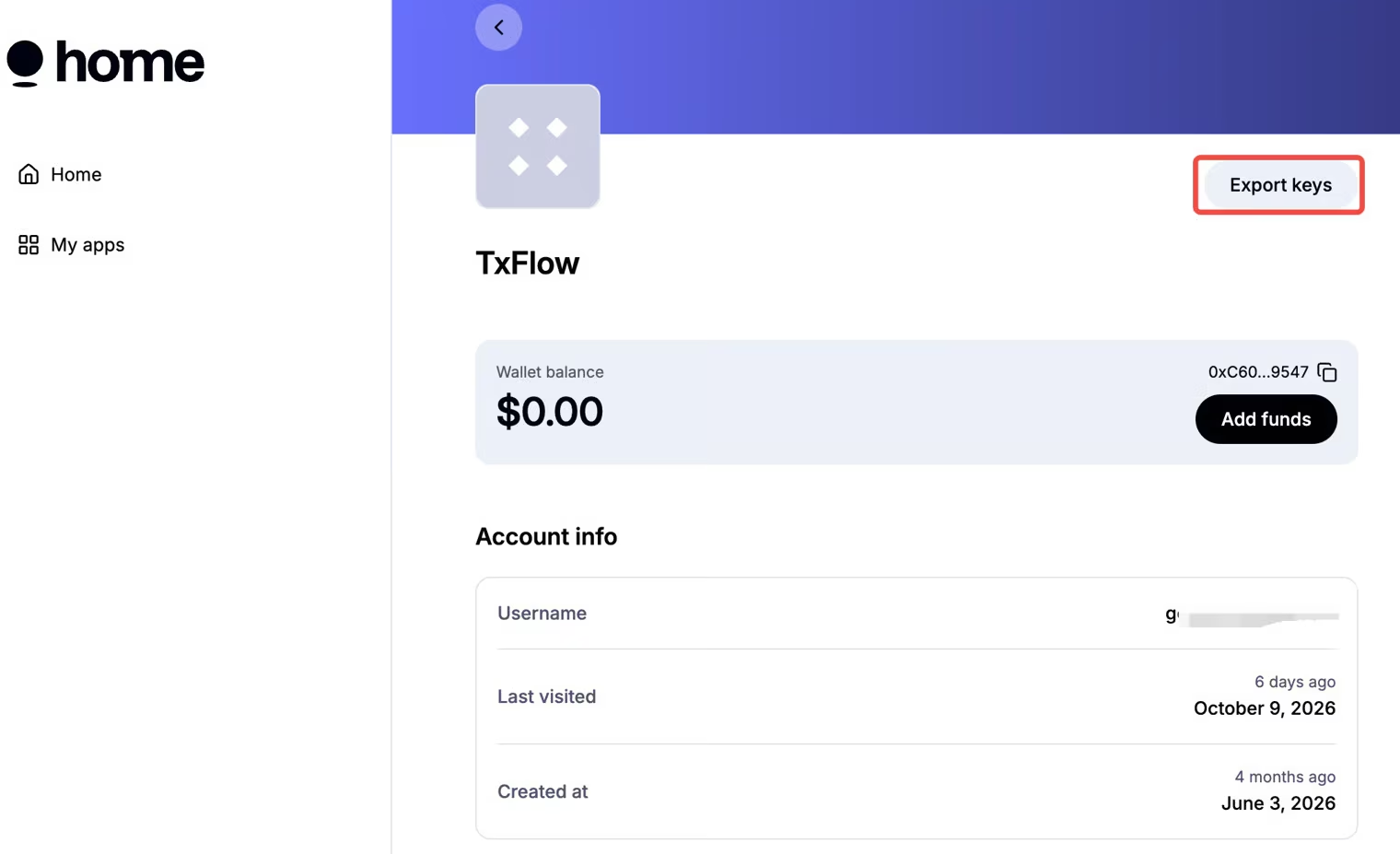
Click Export keys in the upper right corner. Before you click, check that the email address and the wallet address are the ones you expect.
-
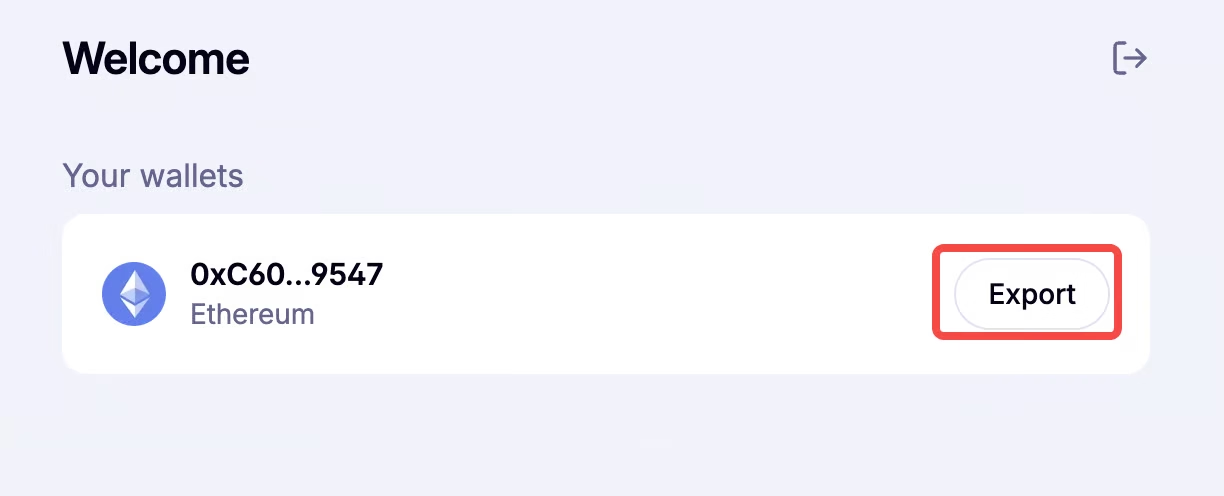
Click Export to continue.
-
Confirm your wallet address once more, then click Copy key or Copy Phrase to finish the export.